A simpler alternative to Scrivener.
If you like Scrivener’s binder, corkboard and snapshots but find its menus, settings and compile options hard going, Wryte is worth a look.
It has the same core ideas under plainer names and a simpler export, and keeps the advanced parts out of sight until you need them.
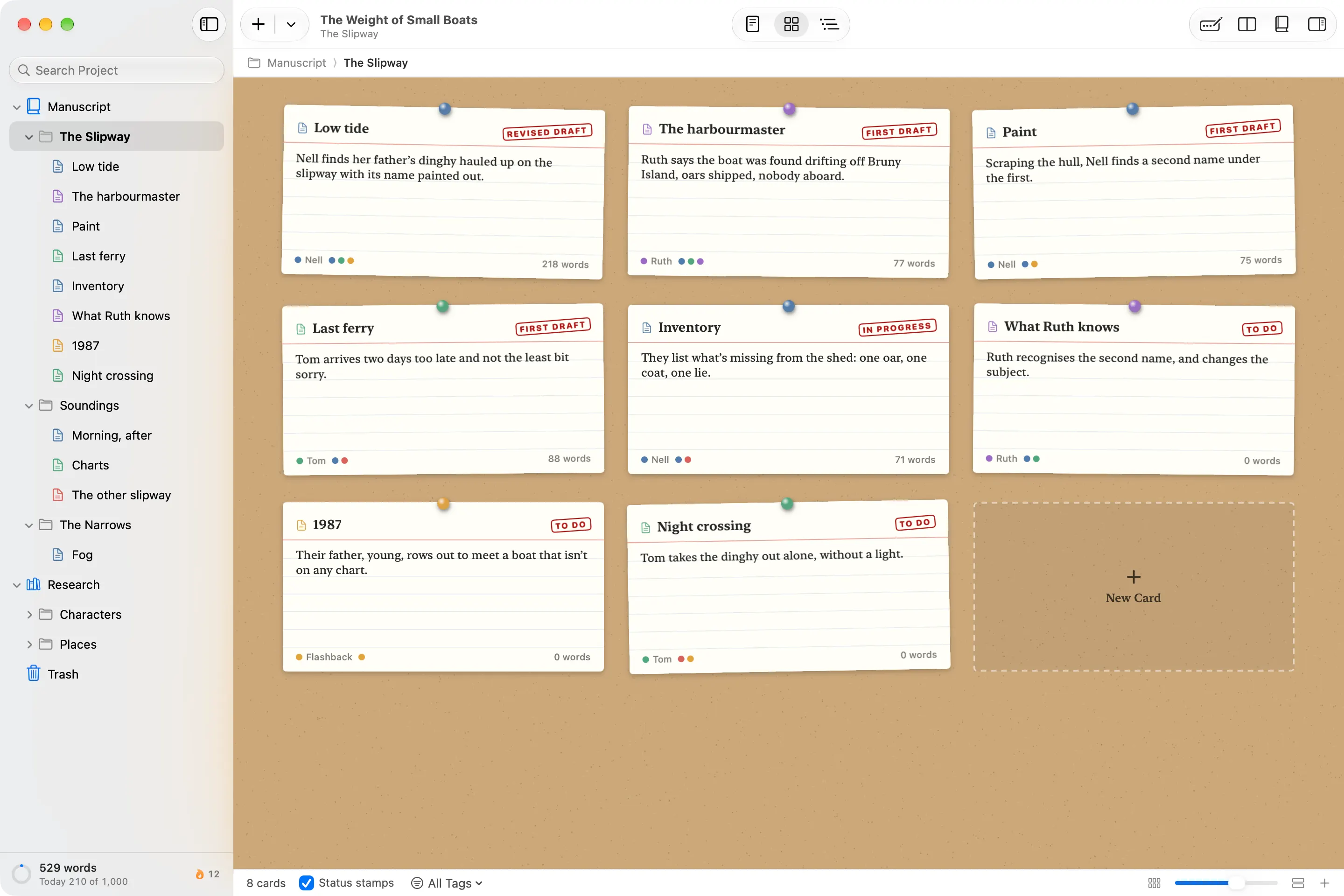
What you’ll recognise.
Here’s what each part of Scrivener is called in Wryte.
| In Scrivener | In Wryte | What it does |
|---|---|---|
| Binder | Contents sidebar | Folders are chapters, documents are scenes. |
| Corkboard | Cards | Index cards on cork, with a synopsis, colour and status stamp. |
| Outliner | Outline | Edit titles, synopses and statuses in place. |
| Scrivenings | Read Through | A folder as one continuous text, with chapter headings. |
| Composition Mode | Focus Mode | One page, typewriter scrolling, a prompt on an empty page. |
| Split editor | Split Editor | Side by side, or stacked. |
| Snapshots | Checkpoints | Saved copies of a document, restored without losing the current text. |
| Synopsis, notes, labels, status, keywords | Details: synopsis, notes, colour, status, tags | The same ideas, in one panel. |
| Collections | Collections | Saved searches, or documents you gather by hand. |
| Project and session targets | Goals | A manuscript goal, a goal for today and a goal per document, with a writing history. |
| Research folder | Research folder | PDFs, images and web pages saved to read offline. |
| Compile | Export | Four starting points (Submission, Paperback, Ebook, Draft) and a live preview. |
What’s different in Wryte.
- Export shows you the result. Pick Submission, Paperback, Ebook or Draft and watch the preview change as you adjust it. No section types or layouts to set up first.
- Send to Editor. A Word document with your changes since a checkpoint marked as tracked changes, in one step.
- Links between documents. Type [[ to link a scene to a character sketch, and see everything that links back.
- Automatic backups. Wryte backs up while you write, to iCloud Drive or a folder you choose. Restore from Backup opens an earlier version as a separate copy.
- No AI, nothing uploaded, no account. The privacy promise.
- Templates and prompts. Five templates to start from, a faint prompt on an empty page, and celebrations for goals and streaks, which you can turn off.
What Wryte doesn’t do.
Better you hear it here than find out halfway through a draft.
- It can’t open Scrivener projects. Export from Scrivener as Word or RTF files and import those instead.
- It’s Mac only. There’s no Windows version, and no iPad or iPhone app.
- No footnotes or citations. Theses and non-fiction that rely on them will need Word, or another tool, for the final stage.
- No screenplay formatting. Wryte is made for prose.
- Fewer export options. Wryte’s export has four starting points and a handful of settings, not Scrivener’s deep compile.
Questions about switching.
Is Scrivener worth it?
For many writers, yes. Scrivener is deep and capable, and if you use its compile options, its screenwriting tools, or its Windows and iPad apps, it is hard to replace. If you mostly use the binder, the corkboard and snapshots, and the rest gets in your way, a simpler app may suit you better.
Can Wryte open my Scrivener projects?
Not yet. Export your chapters or scenes from Scrivener as Word or RTF files, then bring them into Wryte with File ▸ Import Files. Each file becomes a document you can edit, and you can arrange them into chapters in the Contents sidebar.
Does Wryte have footnotes or citations?
No. If your work depends on footnotes, or on citations from Zotero or another reference manager, Wryte isn't the right tool for the final stage yet.
Is Wryte on Windows or iPad?
Wryte is a Mac app. It needs macOS 15 Sequoia or later.
Moving a book across? Start with one chapter.
On the Mac App Store macOS 15 Sequoia or later Price to come